NetSuite Email Approvals: Approve Without a Login or License
There’s a version of email approvals that’s been around for years. You get a notification: “Purchase Order #1247 requires your approval.” You click a link. NetSuite opens. You log in. You find the transaction. You review it. You approve.
That’s not approving from email. That’s a reminder to go approve in NetSuite.
The problem is that these emails don’t contain enough information to actually make a decision. The approver still needs a login, still needs a license, and still needs to navigate the UI to see what they’re approving. The email is just a doorbell.
License Costs for People Who Click One Button
NetSuite user licenses run $129 to $199/month. Every person who needs to approve a transaction needs one. For a lot of organizations, that means paying $1,500 to $2,400/year for someone whose entire NetSuite interaction is clicking “Approve” on a handful of POs each week.
A department head who approves purchase orders. A VP who signs off on anything over $25K. A project manager who reviews expense reports. None of them use NetSuite for anything else. They log in, click approve, log out. That’s an expensive click.
Multiply it across 5, 10, 20 approval-only users and you’re looking at $15,000 to $48,000/year in license fees for people who spend seconds in the system. CFOs notice this eventually, usually when someone asks why the NetSuite bill keeps climbing.
What If the Email Was the Approval?
Put enough information in the email that the approver never needs to open NetSuite. Not a summary line and a link. The actual transaction detail they’d review if they were logged in.
Here’s what a Greenlight approval email looks like:
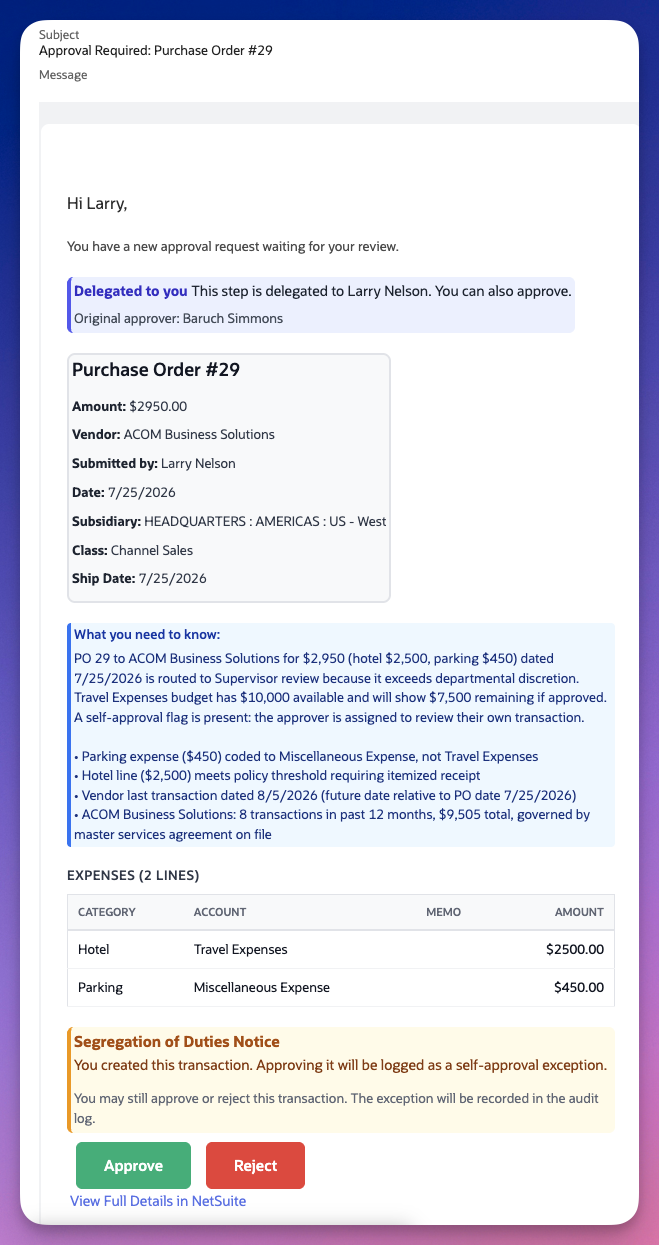
That’s a real approval email. It includes the transaction header (amount, vendor, subsidiary, department, class, date, memo). Below that, a “What you need to know” summary highlighting the fields that matched the routing rule. Then the line items, so the approver sees exactly what’s being purchased, not just a total.
Two things in that screenshot matter more than the transaction data.
The delegation notice. This step was delegated from Baruch Simmons to Larry Nelson. The email says so explicitly: who delegated, who received it, and that only the delegate can approve. No ambiguity about why Larry is seeing this instead of Baruch. That context lives in the email, not buried in a workflow log inside NetSuite. (We wrote more about why delegation done wrong creates audit gaps.)
The segregation of duties warning. Larry created this transaction. The email tells him, in a red notice he can’t miss, that approving it will be logged as a self-approval exception. He can still approve if the situation warrants it, but the system isn’t silent about the conflict. The audit log captures it either way.
When the approver clicks Approve or Reject, they land on a confirmation page:
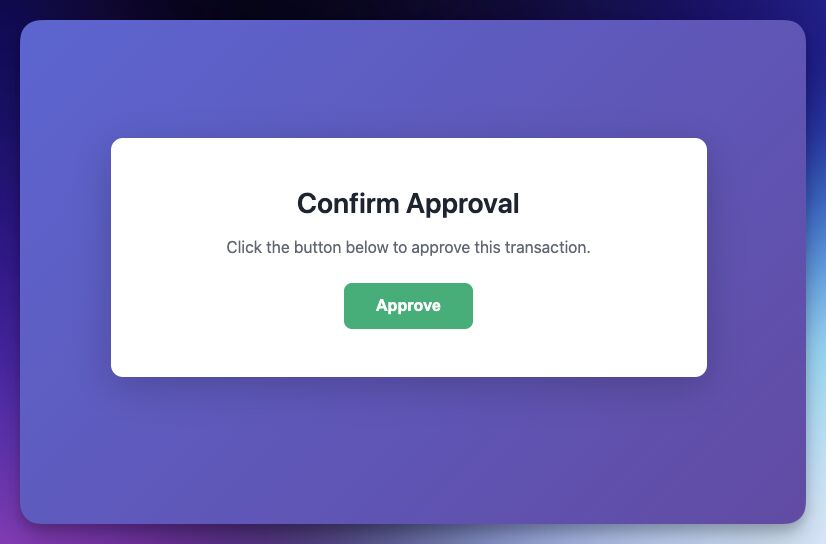
The action writes back to NetSuite. The approval instance updates. The audit trail records who approved, when, from where, and what the transaction looked like at that moment. No login. No license.
Why “Just a Link” Isn’t Enough
Most email approval implementations fall into one of two camps.
Camp 1: Notification only. The email says “PO #1247 needs approval” and links to NetSuite. The approver still needs a license, still needs to log in, still needs to find the transaction. The email saved them from checking a dashboard. That’s it.
Camp 2: Blind approve. The email has an Approve button but shows minimal detail, maybe a transaction number and an amount. The approver clicks Approve without seeing line items, without knowing if there’s a budget concern, without understanding why it routed to them. It’s fast, but it’s not informed, and it’s hard to defend in an audit.
Neither camp gives approvers enough context to make a real decision without opening NetSuite.
An informed email approval includes:
- Transaction header fields like amount, vendor, date, subsidiary, department, class, and memo
- Line item detail, not just the total, but what’s actually on the PO, bill, or expense report
- Delegation context so the approver knows who originally owned the step and why they’re seeing it
- Segregation of duties notices so the approver knows about conflicts before they click, not after the auditor finds them
- Budget impact, including how much of the department’s allocation has been consumed this period
When the email carries that context, the approver is making the same decision they’d make inside NetSuite, with the same information and the same compliance guardrails. The only difference is they didn’t need a $2,000/year license to do it.
Mobile Doesn’t Help Either
NetSuite’s mobile app doesn’t support approving transactions. The app shows a generic “My Approvals” list that doesn’t reflect actual approval assignments, and custom approval workflows don’t carry over to the mobile experience. Approvers on the road, whether they’re in meetings, on job sites, or between locations, either wait until they’re at a laptop or don’t approve at all.
Email works on every phone. No app to install, no mobile session to configure. The approval email renders on any device, and the Approve/Reject action works from any browser. For organizations where approval bottlenecks happen because decision-makers are away from their desks, email approvals are the simplest fix.
What This Means for Audit
Removing the NetSuite login from the approval flow raises a fair question: does the audit trail suffer?
Not if the system is built correctly. Greenlight’s email approvals write back to NetSuite with the same data captured by an in-app approval: who approved, when, which rule triggered the routing, what the transaction looked like at the time of action, whether a delegation was in effect, and whether any exceptions were flagged. The approval instance record in NetSuite is identical whether the action came from the approval tray or from email.
Segregation of duties enforcement doesn’t relax because the channel changed. If an approver created the transaction and tries to approve it from email, the same SoD rules apply. Warn, block, or log, depending on how the rule is configured. The compliance controls travel with the approval, not with the interface.
A common follow-up question is what stops someone from forwarding the email and clicking Approve. There’s an optional verification code for exactly that, covered in are NetSuite email approvals secure.
Run the Numbers
Take a mid-market NetSuite customer with 12 approval-only users, each paying $150/month for a license they use for 30 seconds at a time.
That’s $21,600/year.
Move those approvals to email. The employee records stay in NetSuite. They’re still valid approvers, still in the routing rules, still in the org hierarchy. They just don’t need to log in anymore. Their licenses can be reassigned to users who actually work in the system, or removed entirely.
The approvers see more context in the email than most of them were reviewing in NetSuite anyway. The audit trail is the same. The compliance controls are the same. The only thing that changes is the license bill. If you’re evaluating how your current approval setup holds up, start with these 5 red flags your auditor will find before you do.
Cut NetSuite license costs without cutting compliance. Greenlight’s email approvals include full transaction context, line items, budget data, and SoD warnings, no login required. See it in action →